One account for every plot your firm runs.
Builtstraight is construction management for builders who run plots with subcontractors. The plots and their programme, the trades on each stage, the evidence and the certificates, the safety forms, the record and the client's view of it, all on one account priced per firm. What follows is the whole of it, in the order you would set a job up.
A plot and its stages.
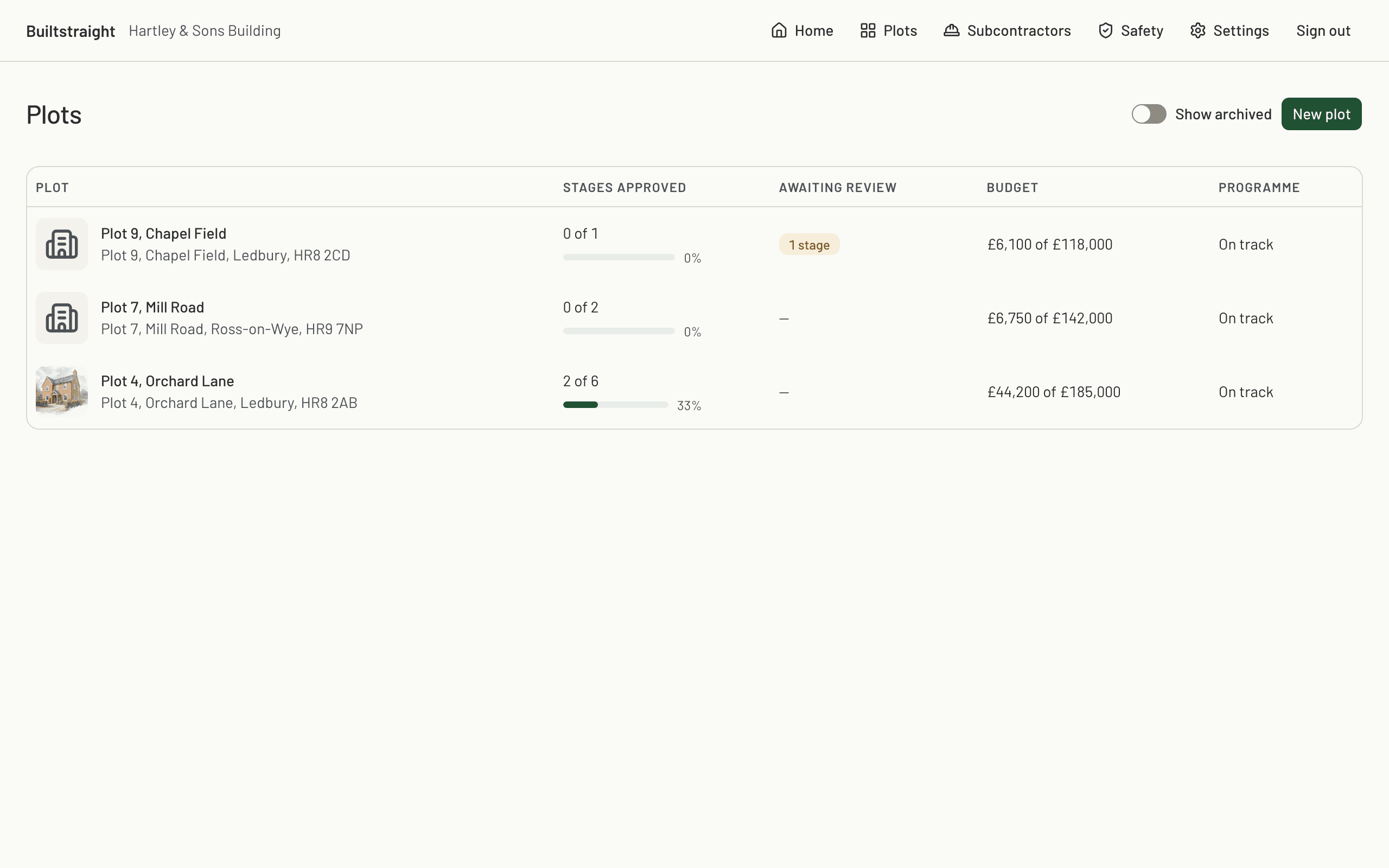
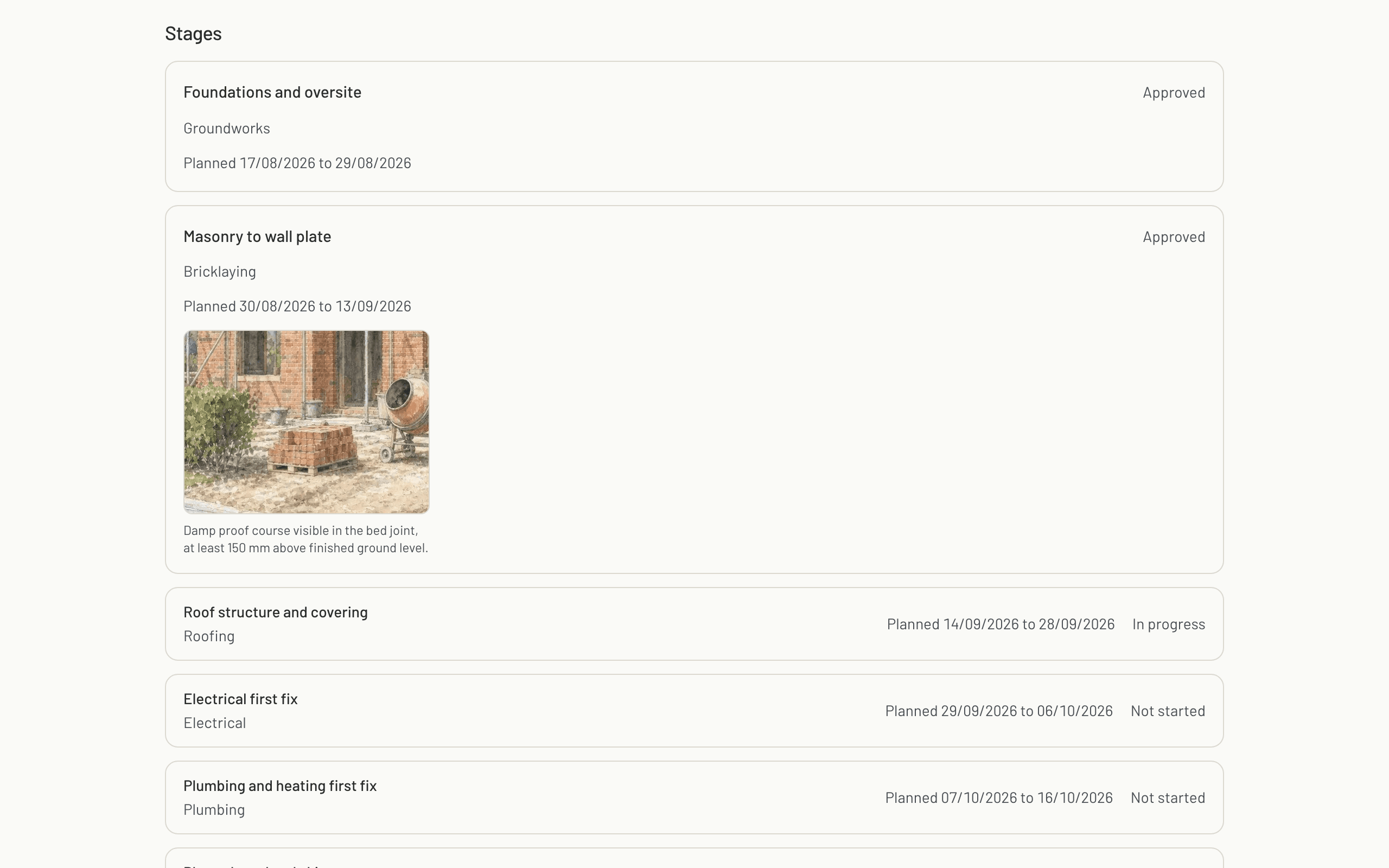
Create a plot with its name, address and an optional budget. Add a stage for each piece of work you are buying: groundworks, masonry, roof, first fix, plaster. Stages sit in order and each one names a trade. Each stage carries its own price, so what the plot is worth is set out stage by stage before anybody starts work.
The programme, on one sheet.
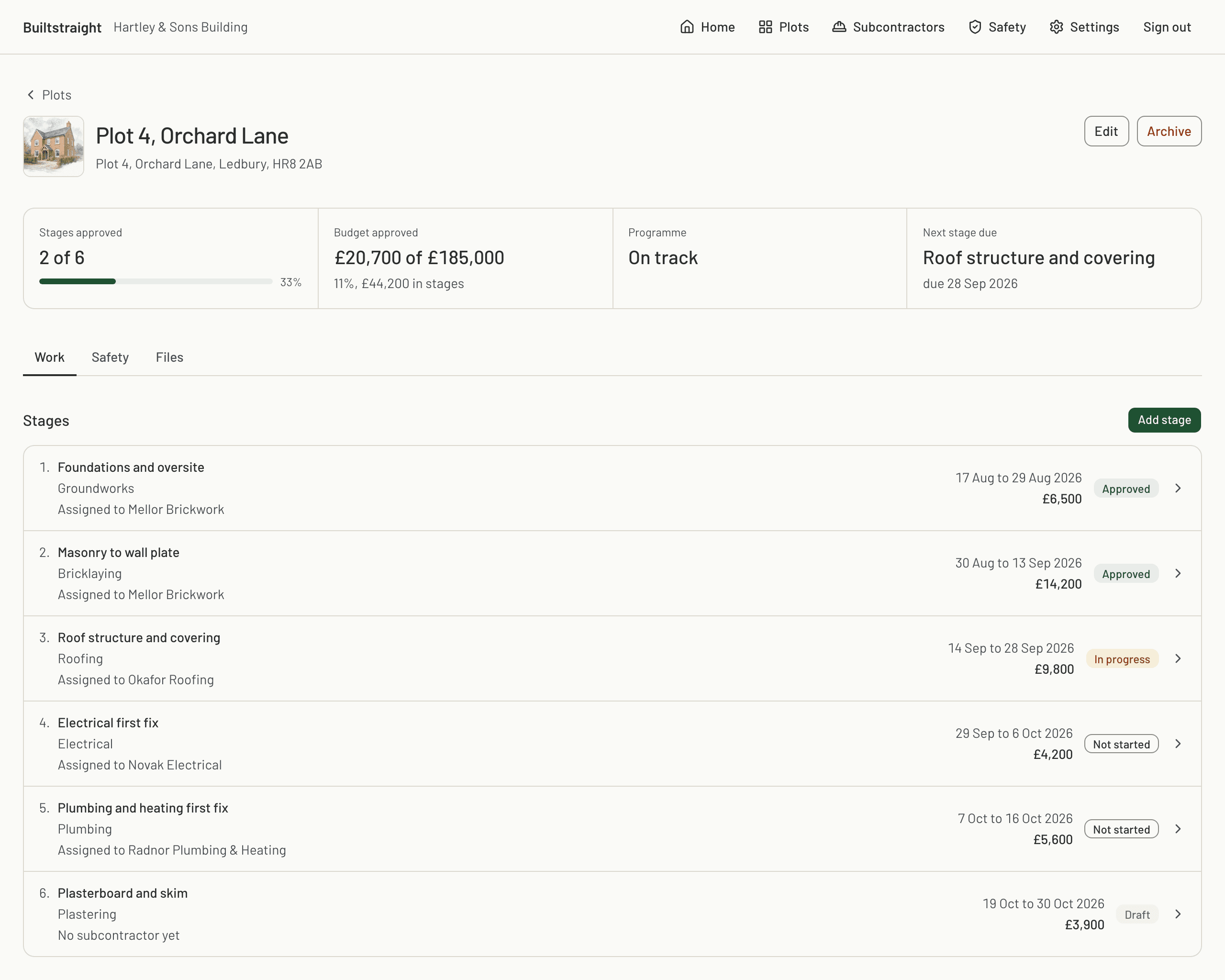
Stages sit in order with their dates, and the plot reads as a programme: a row for each stage, a bar showing how far it has got, and the money in a column down the right-hand edge. It is the chart you would pin up in the cabin, and the work keeps it current instead of somebody redrawing it on a Friday.
Scope, proof, certificates, price.
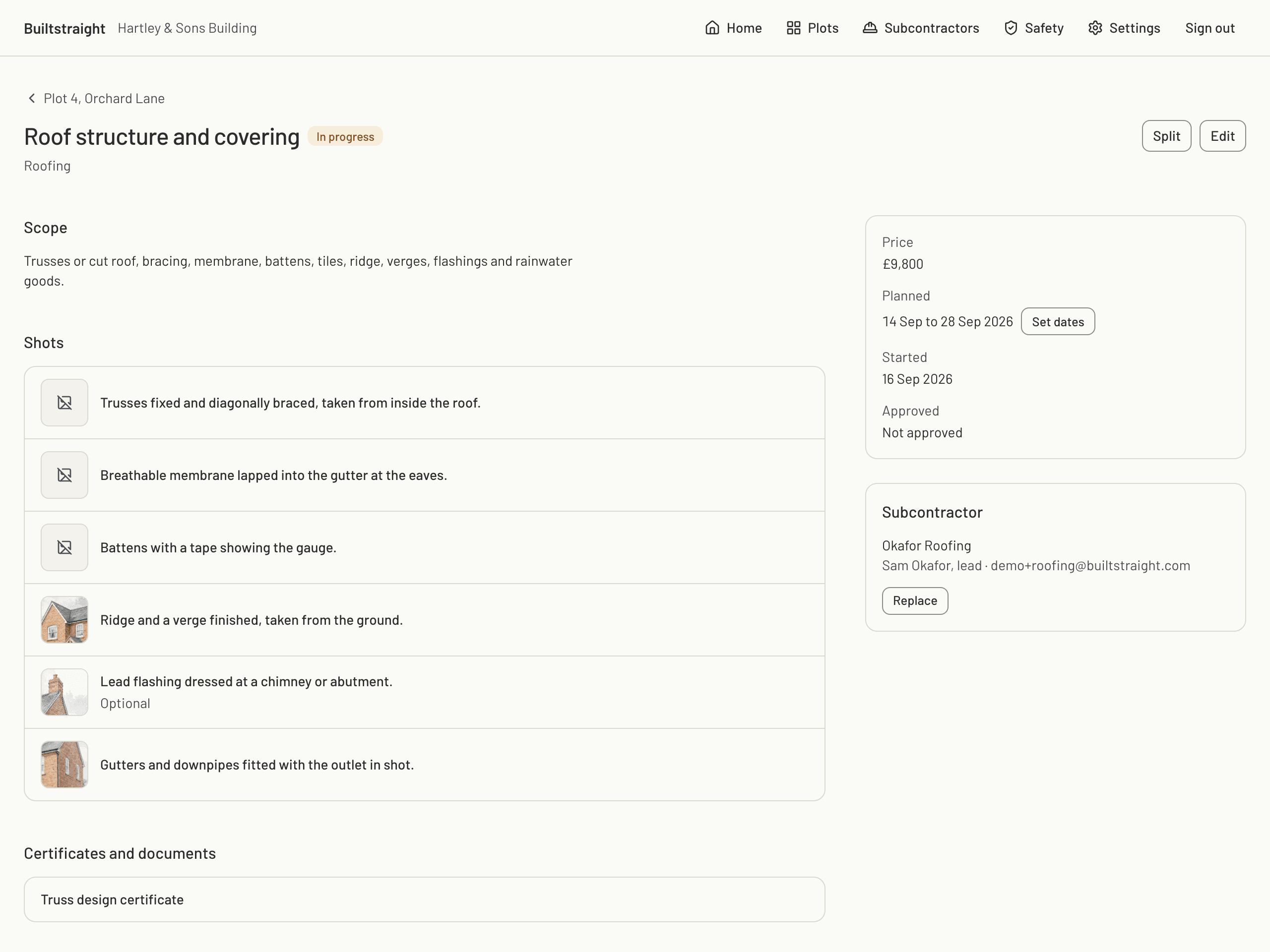
Open a stage and set what you are buying. Start from a trade preset or build the list yourself. Every shot carries your instruction and, if you want, a reference photo. Certificates are named. The price sits on the stage, in pounds.
- Scope
- Presets for groundworks, bricklaying, roofing, electrical, plumbing, plastering and scaffold inspection.
- Proof
- An instruction per shot, marked required or optional. A reference photo per shot, so the trade sees the shot you mean.
- Certificates
- Named certificates and documents, for example a truss design certificate or a pressure test record.
- Price
- A price per stage, in pounds.
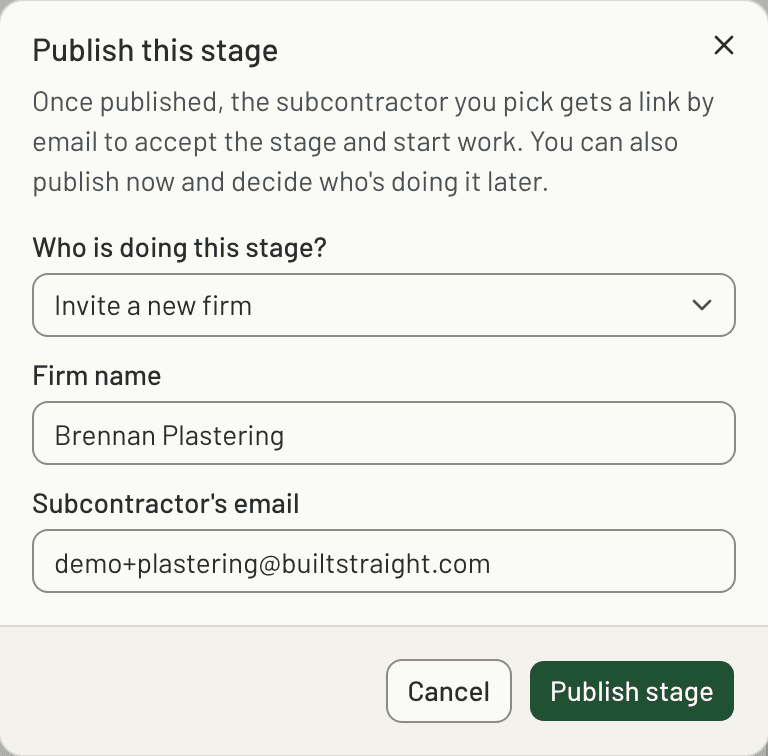
Invite the trade by email.
Publish a stage with a subcontractor's email address and they get a link to that stage. When they accept, they are assigned to it. A subcontractor is never a member of your firm, sees no other plot and sees no other stage. The invite expires after fourteen days and you can revoke it from the stage.
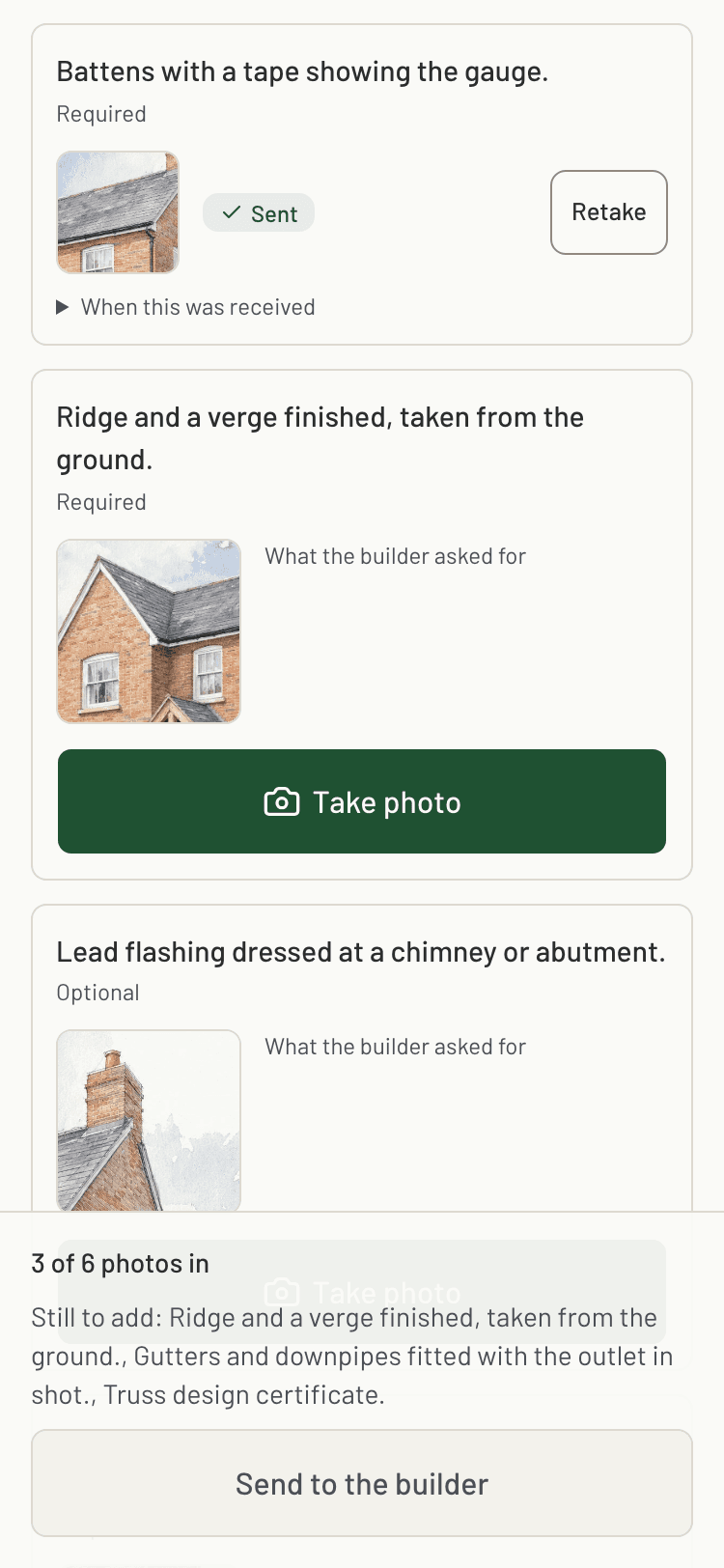
Capture on the phone.
The trade opens the stage in the subcontractor app, takes each photo on your list with the phone camera, adds the certificates and submits. Capture works with no signal and syncs when the phone reconnects, so a stage does not wait for a bar of 4G.
Checked before you sign it off.
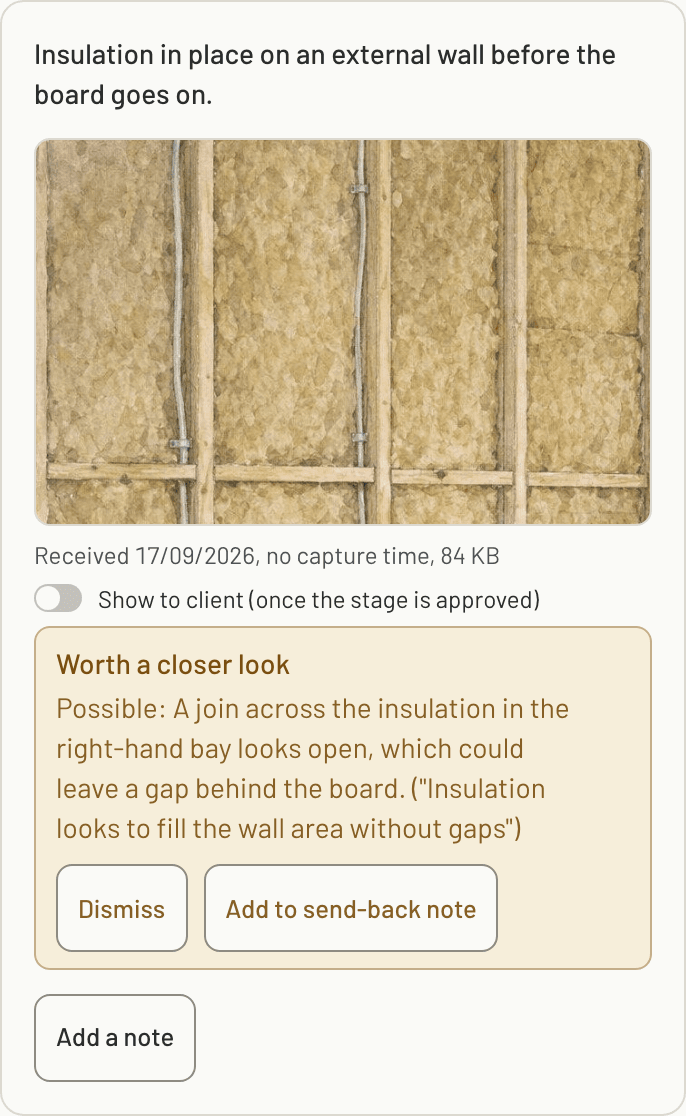
Every photo is checked as it arrives, so your review starts with the problems already found. The simple checks catch a photo that is blurry, too dark, already sent for another stage or plot, or taken days before it was sent. Then the work itself is checked: the photo is compared with the shot's reference photo and read for anything that seems poorly finished against the shot's list of what a good photo shows. The presets carry that list, one is written for any shot you add when you publish, and you can edit it.
A photo that clearly needs retaking asks the trade for a retake on their phone as soon as it is sent. Anything the checks find is flagged on the photo in your review: what looks wrong, how sure the check is and which point on the list it failed, with a button to dismiss it and one to add it to your send-back note. You can let a photo that clearly needs retaking send the stage back by itself. A concern about the work never sends anything back; a person makes that call. The checks are included on every plan.
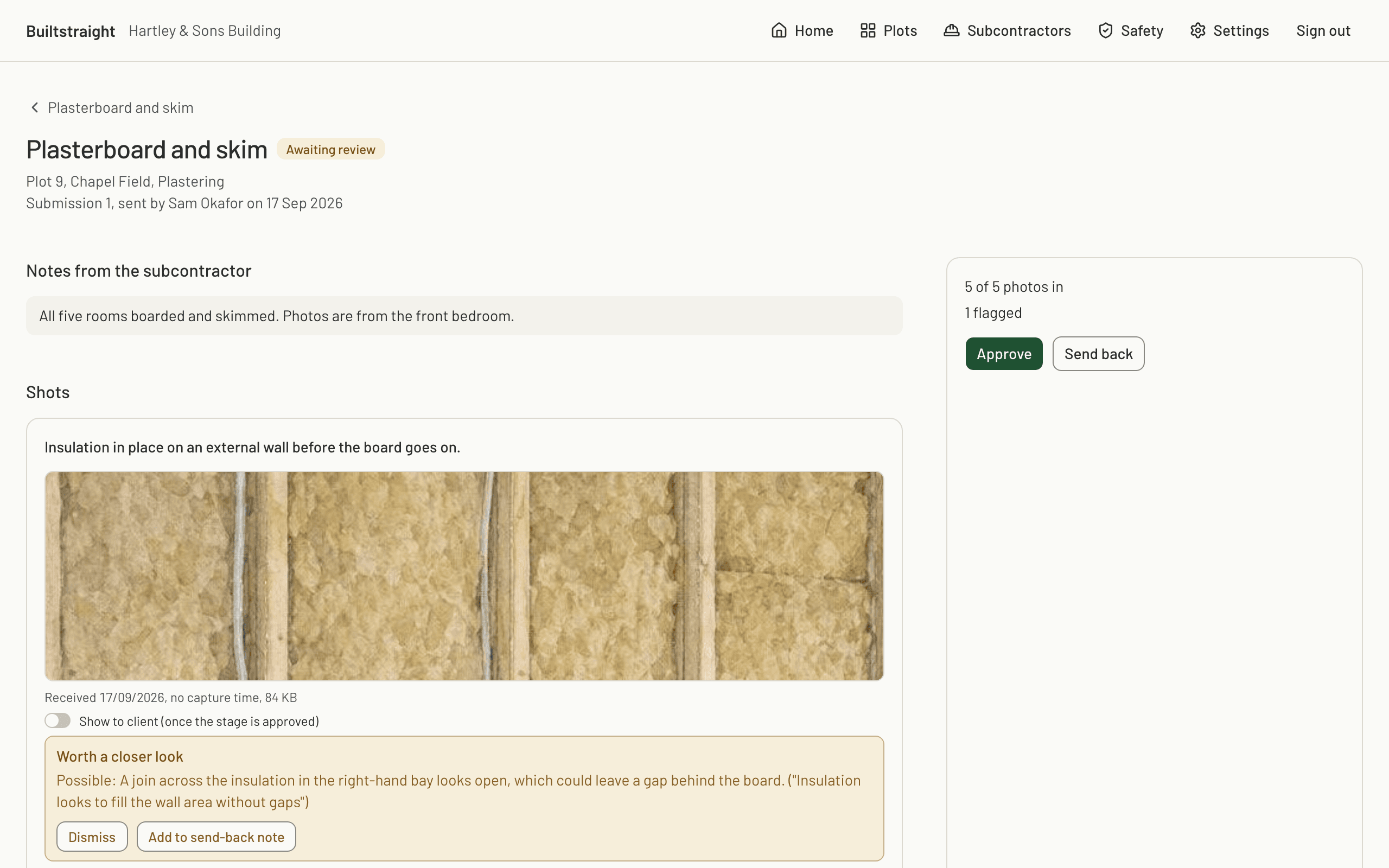
Approve it or send it back.
Sign-off happens in the console. You see the shots in the order you asked for them, with anything the checks found flagged on the photo it belongs to. Tap to zoom, then approve the stage or send it back with a note pinned to the photo you are querying. A send-back keeps the original photos, so nothing is quietly replaced.
Documents, certificates and safety.
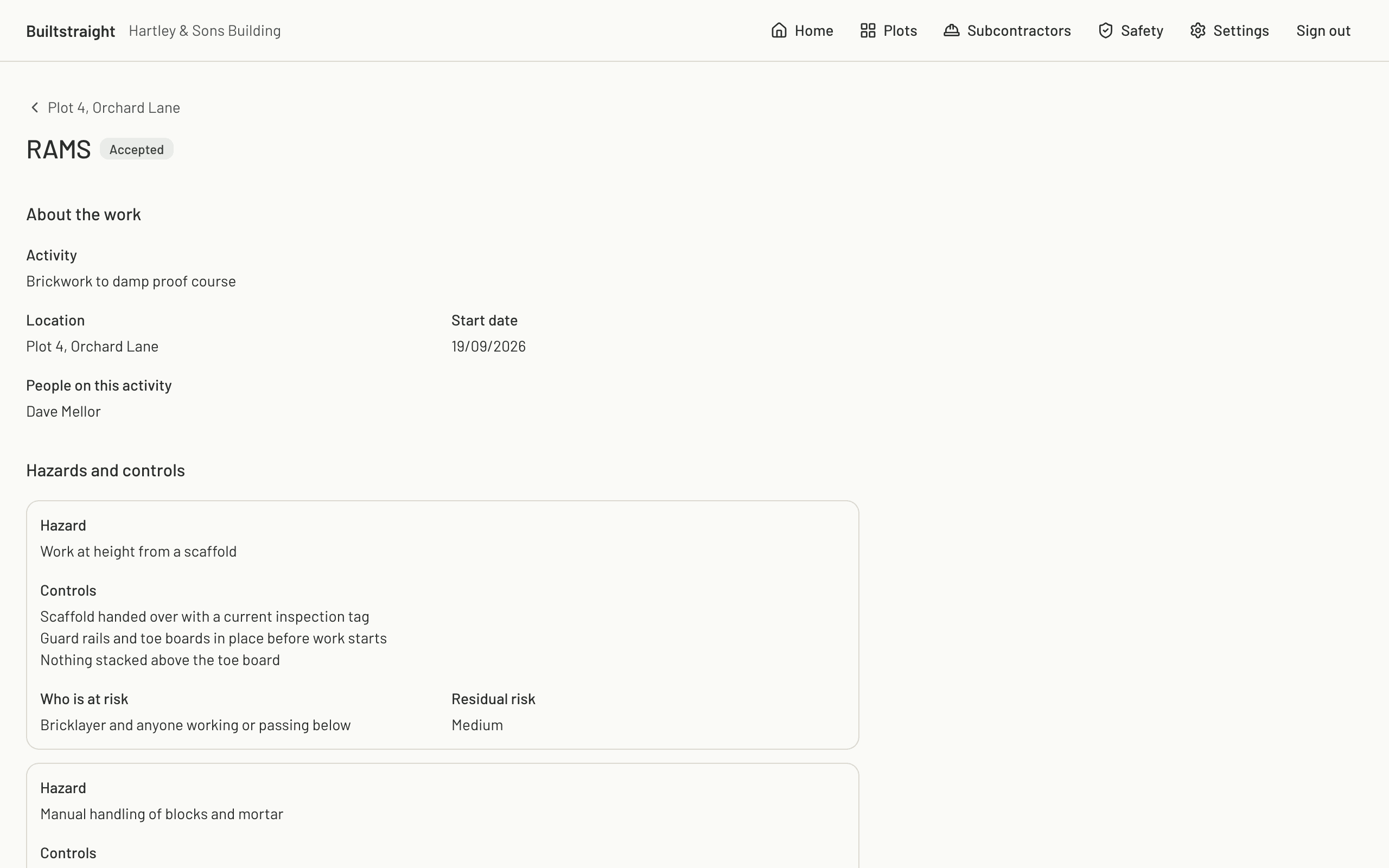
Certificates and documents are named on the stage that needs them, so a truss design certificate or a pressure test record is filed where somebody will look for it. The safety file lives on the plot. A trade's RAMS is drafted for them from the plot's site details and their trade, or you start it and hand it over, and you review and accept it like a stage. Site inductions, toolbox talks and the weekly scaffold inspection are signed on the phone, and an incident is recorded on the plot the day it happens.
Every worker's cards are held with their scheme, their expiry date and how you checked them, and flagged before they run out. The competence register prints every card on a plot as one PDF, ready when an inspector asks.
What the client sees.
Send a client a read-only link to their plot. They see the stages, what has been signed off, and the photos and documents you choose to show them, and nothing else: no prices, no subcontractors and no other plot. It saves the phone call asking how the build is getting on.
Post updates to the same page with up to six photos. The client replies there, and their replies reach you in one email instead of a run of texts.
Your team, on your account.
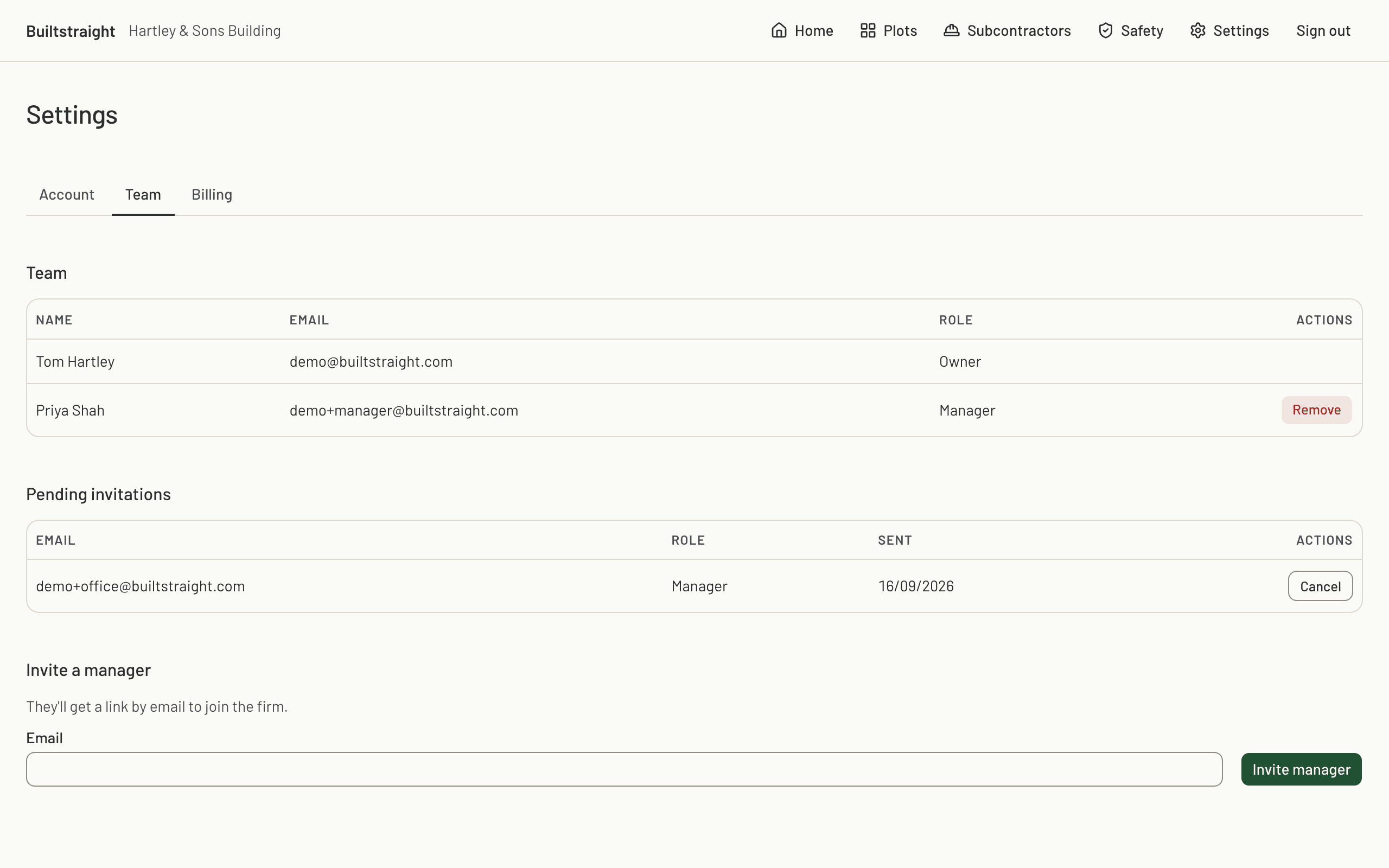
Invite managers to the firm and they work across every plot: create plots, set up stages, invite subcontractors, publish. An owner keeps what only an owner should do. Team members are counted by your plan, not charged one seat at a time, and subcontractors are never counted at all.
What is on record.
Every state change is written to an append-only audit log: who published the stage, who was invited and who accepted, each with the time it happened. Rows in that log cannot be edited or deleted, by us or by anyone in your firm. The approval of a stage is written to the same log. If a stage is ever disputed, this is the record.
The rest of what you get.
These are on your account from the day you sign up. They are listed here so you can see the whole product in one place.
- The subcontractor app, with offline capture and submission.
- An evidence pack PDF for every approved stage, holding the photos, the hashes and the times.
- A plot export you can run yourself, as one downloadable bundle.
- The ready-to-pay list, so an approved stage is priced and waiting when you come to do the invoices.
- A note thread on every stage, between you and the trade working on it.
- A demo firm you can reset, so you can look round the whole product before you set up a real plot.
Set up your first plot today.
Ten minutes to your first stage out to a trade. The first month is free on Firm or Commercial, with unlimited plots and as many subcontractors as you like.